OVERVIEW

OVERVIEW

Building an emergency disaster support platform to make evacuations easier for people and city

Building an emergency disaster support platform to make evacuations easier for people and city

ROLE

ROLE

Designer

Co-Founder


Designer

Co-Founder


SKILLS

SKILLS

Full Product Dev

UI/UX Design

Pitch Branding

Full Product Dev

UI/UX Design

Pitch Branding

DURATION

DURATION

2 Weeks

2 Weeks

TOOLS

TOOLS

Figma

Figma

INQUIRY

INQUIRY

How can disaster prevention be easier for individuals regarding personal spaces? How can cities better respond and prevent panic?

How can disaster prevention be easier for individuals regarding personal spaces? How can cities better respond and prevent panic?

In line with the recent LA wildfires, my team and I were given the prompt of exploring how the emergency evacuation process can be made easier or less panic-inducing for two diverse stakeholders: individual community members and city management at large. My UI/UX solution responds to the needs of community members, so this will be the primary focus for this case study.
PROBLEM

PROBLEM

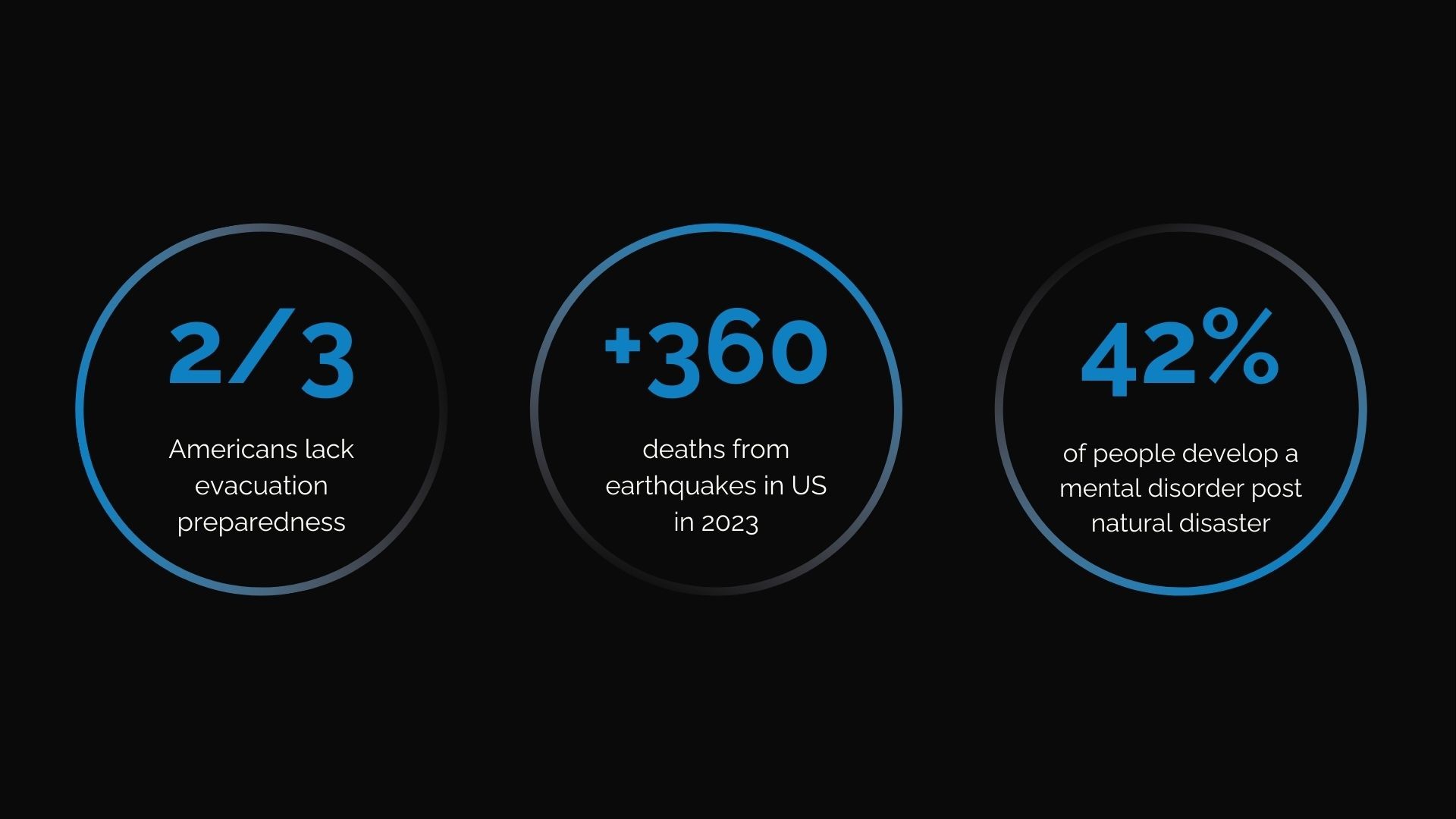
Disaster evacuations are sudden, leaving people with regret over lost memories, a lack of preparedness, and complete confusion.

Disaster evacuations are sudden, leaving people with regret over lost memories, a lack of preparedness, and complete confusion.

COMPETITIVE ANALYSIS

COMPETITIVE ANALYSIS

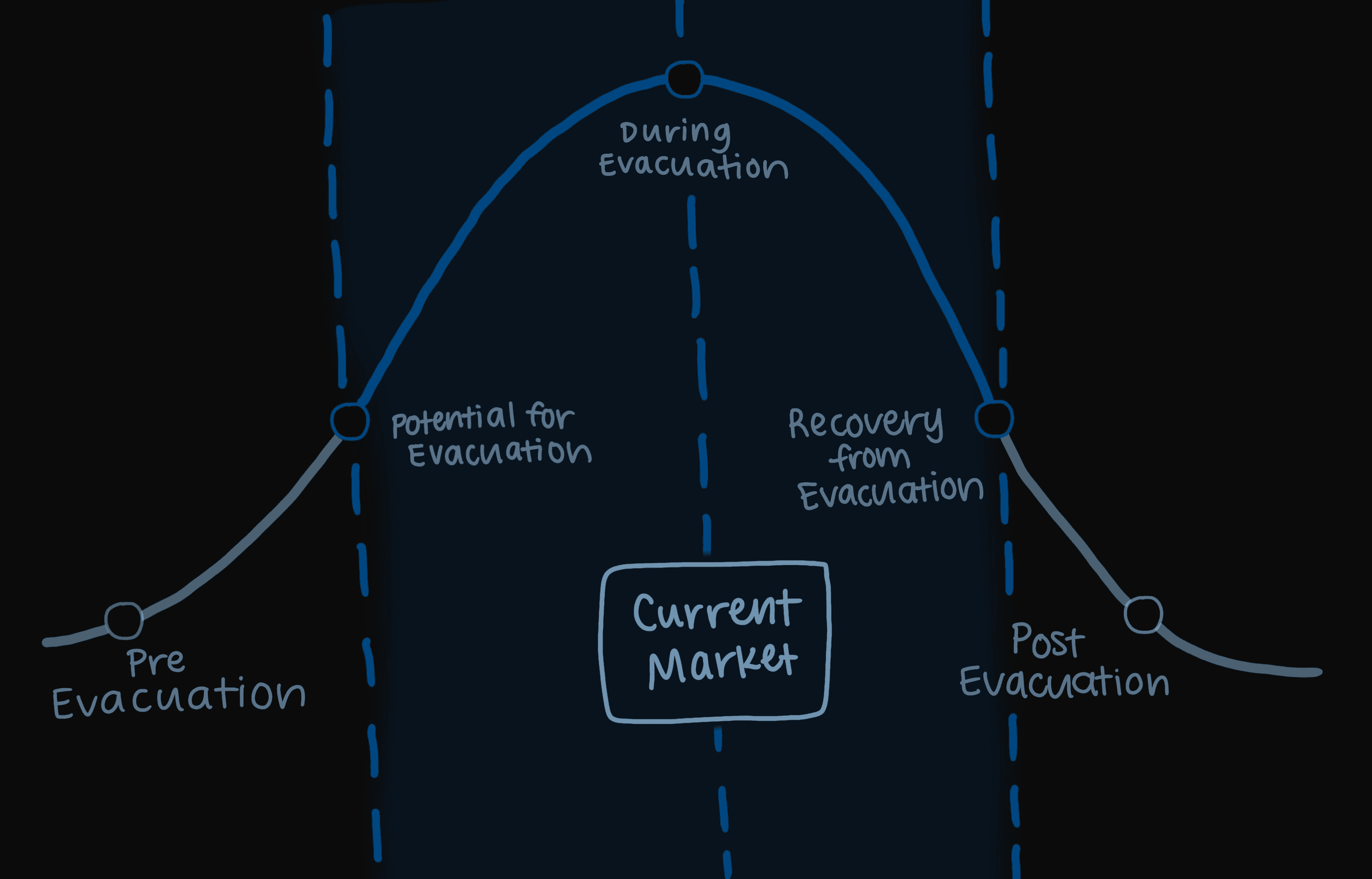
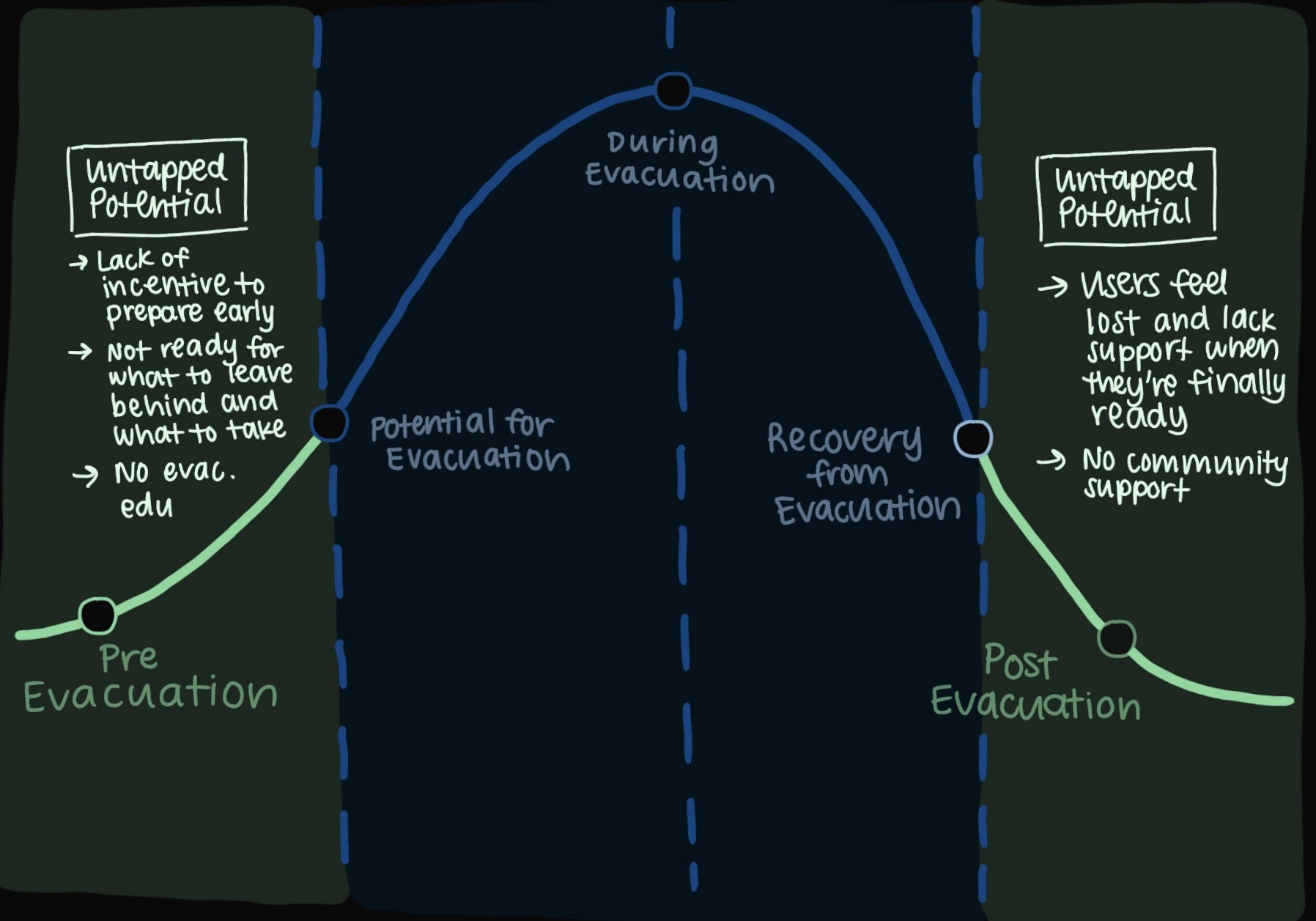
A lack of personalized solutions — existing natural disaster solutions lack value without tech and lose consumers post-evacuation

A lack of personalized solutions — existing natural disaster solutions lack value without tech and lose consumers post-evacuation

The majority of natural disaster support apps today don't offer localized information or a sense of community beyond the initial effort for prevention and detection. This creates a gap between the period of disaster and individuals' time to process and seek greater support. Most importantly, when power goes out, many solutions are completely unusuable without technology.
THE MISSION

THE MISSION

Expand user journey for support apps to before, during, and after disaster strikes

Expand user journey for support apps to before, during, and after disaster strikes

This project was driven by the goal of translating key user needs into app features that support community members before, during, and after the evacuation process. Most importantly, we wanted to make the individual user experience as personalized as possible to differentiate from competitors and provide more value to those in need.


This project was driven by the goal of translating key user needs into app features that support community members before, during, and after the evacuation process. Most importantly, we wanted to make the individual user experience as personalized as possible to differentiate from competitors and provide more value to those in need.

SOLUTION

SOLUTION

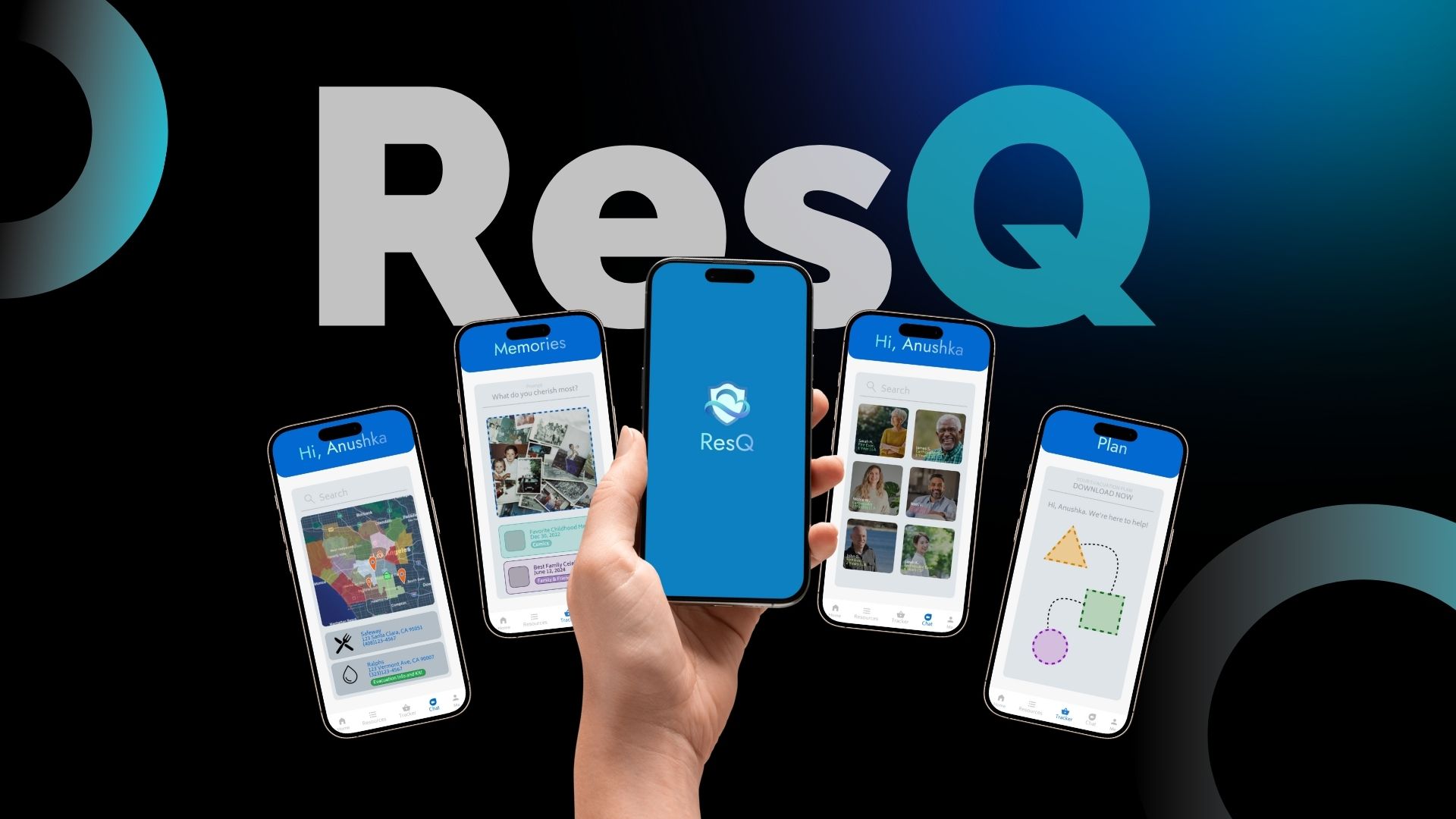
ResQ Mobile App

ResQ Mobile App

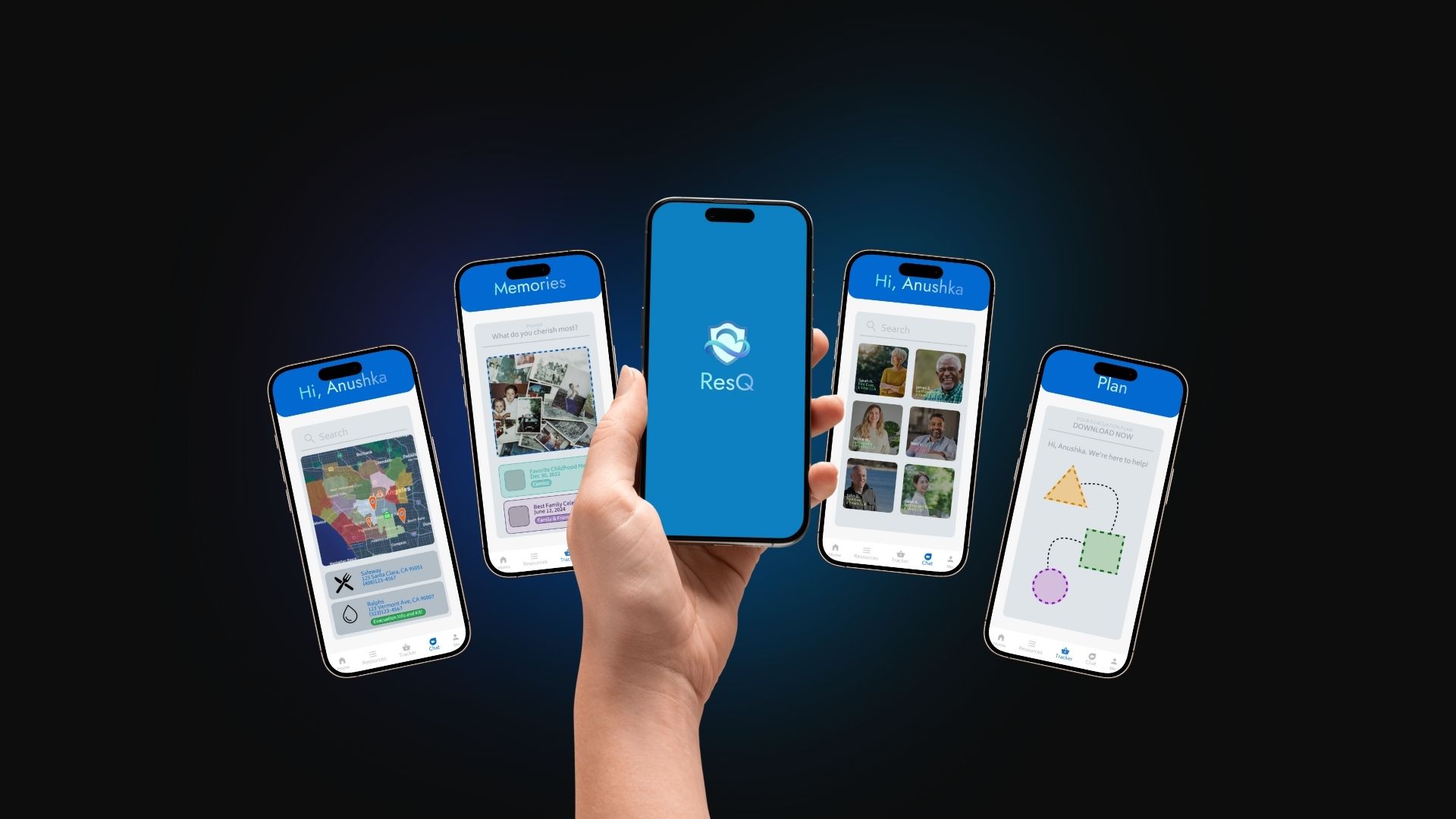
An app to help meet the needs of the community before, during, and after disaster evacuations by personalizing and localizing the evacuation planning process and building a network effect of support communities connecting those evacuating with those who've already done so in the past.

OVERVIEW

OVERVIEW

Visualizing lengthy information, strategizing "no-tech" solutions, and simplifying UX

Visualizing lengthy information, strategizing "no-tech" solutions, and simplifying UX

Interactive Figma prototype

Interactive Figma prototype

DESIGN DECISIONS

DESIGN DECISIONS

Building off of what already exists — making UI/UX just a little bit easier for those in need

Building off of what already exists — making UI/UX just a little bit easier for people

Building off of what already exists — making UI/UX just a little bit easier for people

ResQ was designed with the goal of prioritizing the essential needs of users without getting distracted by excessive features and other UI elements. From ideation to the interactive mockup, the interface is as simple and easy to understand as possible.

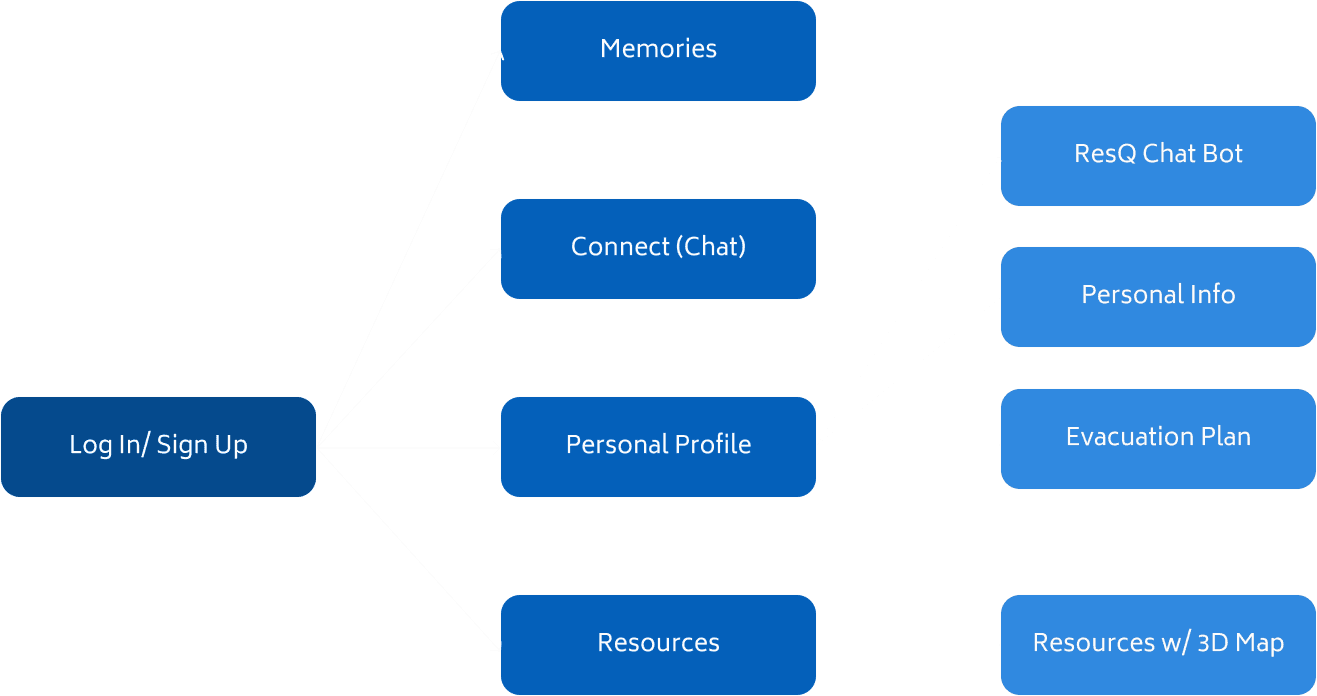
User Journey Flow
Mapping out key features to meet user needs and maintain a simple user experience throughout the app

Mapping out key features to meet user needs and maintain a simple user experience throughout the app

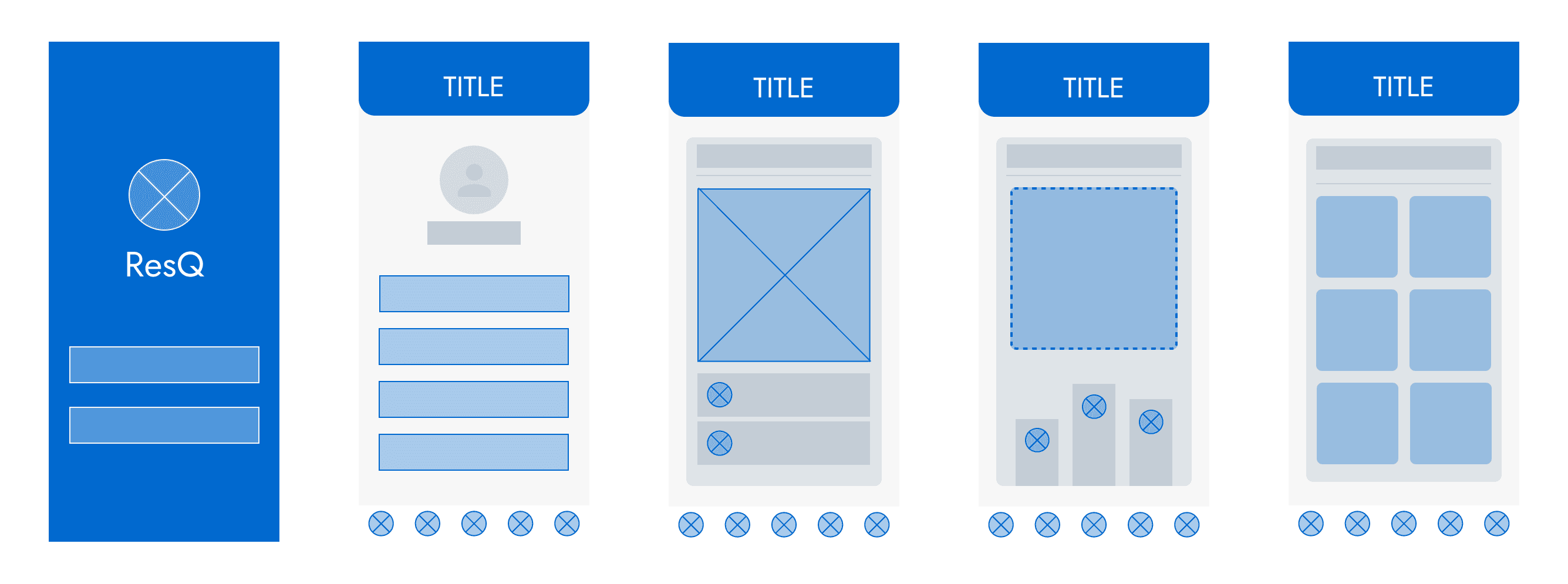
Mid-Fidelity Figma Interface Mockup

Mid-Fidelity Figma Mockup

Mapping the key pages from the user flow into a visual mockup and focusing on extreme simplicity to keep UX easy and direct

Mapping the key pages from the user flow into a visual mockup and focusing on extreme simplicity to keep UX easy and direct

DESIGN DECISIONS

Optimizing for no-tech scenarios with easy access to PDF evacuation plans for download

Based on user feedback and research on the various contingencies of full tech solutions for disaster evacuations on apps, I made the personalized evacuation have a PDF download option so that wifi and power outages wouldn't be a safety barrier.

PITCHING THE CONCEPT

Final sprint — pitching ResQ to USC IYA grad students and alumni with my team

My team and I presented our extensive user research, problem space findings, ResQ app solution, and a no-tech education city education hub strategy to USC professors, students, and alumni and received valuable feedback on the value and potential of ResQ moving forward.

NEXT STEPS

Expanding the MVP for real-case user feedback and building social media support communities

Having completed the initial interactive prototype of this app and gained real user interest from the ideal customer personas, ResQ's next steps lie in developing an MVP app and building a social media community to connect those in this problem space to feed into the app and create a network effect.

Create a free website with Framer, the website builder loved by startups, designers and agencies.